
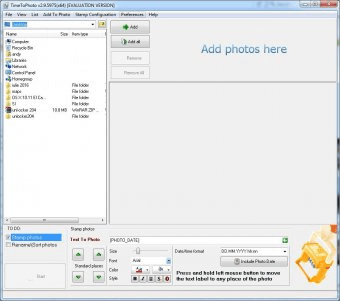
TimeToPhoto is a simple and efficient stamping tool for your JPG photos and images. It will read the EXIF metadata of your JPG file and will add a customizable stamp with the date, time, GPS location, camera model and maker, the focal length, and other widely used EXIF tags. The program supports batch stamping processes, allowing you also to rename and sort your entire photo collections in the process.
You can select entire folders or individual files for stamping, and the program will add to each photograph a stamp with its own data in the selected place and with the format of your choice. You can customize both the contents of the label and its appearance. As for the former, you can include not only the date and time when the picture was taken, but also some technical specifications about “how” it was taken (focal length, F-number, exposure time, etc.) and “where” it was taken (GPS coordinates, altitude, and image direction). Alternatively, you can also tell TimeToPhoto to add information extracted from the name of the image file. As for the latter, you can change the font type and style, the size, and the front and background colors of your text, add an outline to it, and determine its final position. Note that whatever settings you select for both the appearance and the location of the stamp, these will be applied to all the photographs selected, so make sure that they fit to all the photos in your collection. more





Comments